
How To Achieve Your Guitar Goals In 2024

Achieve Your Guitar Goals in 2024

I know from personal experience how tough it can be to achieve your guitar goals and improve as a guitar player. It takes a lot of time, practice and dedication to advance and without the right guidance or practice plan it’s easy to feel stuck.

In this post I will share some of the best methods for achieving your guitar goals to help you overcome any blockages on your learning journey:

First off, do you know what your guitar goals are?

If you do, I have some tips on how to best achieve them.

If you don’t, let me help inspire you to figure it out… and then achieve them!

Find Your Inspiration

Before you can set any goals, you need to find the source of your inspiration. What drives you to want to pick up your guitar and play? 

Do you have the desire to join a band?

Do you have a big dream of becoming a performer?

Do you want to be able to play your favourite songs?

Do you feel inspired by your favourite artists or bands?

Do you just enjoy the challenge of learning something new?

Take some time to reflect on what drives you to play, and use it as the foundation for your goals. 

If you admire a particular musician, start by carefully listening to their music and try to identify what makes their playing stand out to you. The unique combination of guitarists that you listen to, is how you’ll begin to carve out your own unique sound and identity on the guitar.

Outline Your Goals

Be specific and realistic. 

Instead of thinking, “I want to get better at guitar,” try thinking, “I want to learn two new riffs per week.” 

By setting specific, achievable goals, you can measure your progress and stay motivated.

Also, make sure you differentiate between your short-term and long-term goals. Smaller more immediate goals may take a week to achieve vs. larger, more ambitious goals may take months or even years.

This will influence your plan and approach. 

Create Structure

To achieve your goals, you’re going to need to create a structured plan. 

Decide how much time you can dedicate to practicing each week – again, be realistic, otherwise you won’t stick to it! Schedule that time into your calendar – make sure you set reminders.

It’s also important to create a structured practice routine. 

This could include warm-ups, music theory, technique-building exercises, or working on specific songs or riffs. By breaking your practice time into smaller, more focused segments, you can maximise your guitar learning efficiency.

Keep in mind that we all have different goals so no practice routine is the same.

Stay Disciplined

I understand that life can get busy, which is why it’s important your practice routine is realistic and matches your lifestyle. To reach your guitar goals, you will have to stay committed to your practice.

It’s like going to the gym, just more fun! 😄

If staying disciplined is something you struggle with, finding a fellow practice partner or joining an online community of guitarists (like Fretwise), can help keep you motivated and on track.

Challenge Yourself

While it’s important to set achievable goals, don’t forget to challenge yourself, you don’t want to be too comfortable. This could mean learning a more difficult song or even experimenting with a totally new style of playing. By challenging yourself, you can continue to grow and improve as a guitarist.

Track Your Progress

My favourite way to track my progress is to record myself play. Not only will that help you identify your areas for improvement, but it’s the most effective way to see and hear your progress. 

You could also keep a practice log. Set some milestones and break them down into smaller goals. As you achieve these smaller tasks you will move closer towards marking off your milestone. Feeling accomplished will help you stay motivated. 

Don’t forget to have fun

Playing guitar should be enjoyable, so don’t get too caught up in achieving your goals that you forget to have fun. 

Take breaks when you need them, and switch up your practice routine if you’re bored of it. Don’t be afraid to try something new just for the sake of enjoying yourself. 

There’s No Better Time Than Now

Achieving your guitar goals in 2024 is within reach with the right mindset and strategies. By following these tips you are almost guaranteed to make steady progress towards your goals and continue to grow as a musician. Remember to stay focused, committed, and above all, have fun. 

I know that was a lot of words, but I hope you took something away from this and now have a clearer idea of how to reach your goals.

If you ever feel stuck or that you need more guidance and structure to improve your guitar skills, consider joining me here on Fretwise.
Toontrack Superior Drummer 3 Overview & Demo: Is This The Best Drum Plugin?

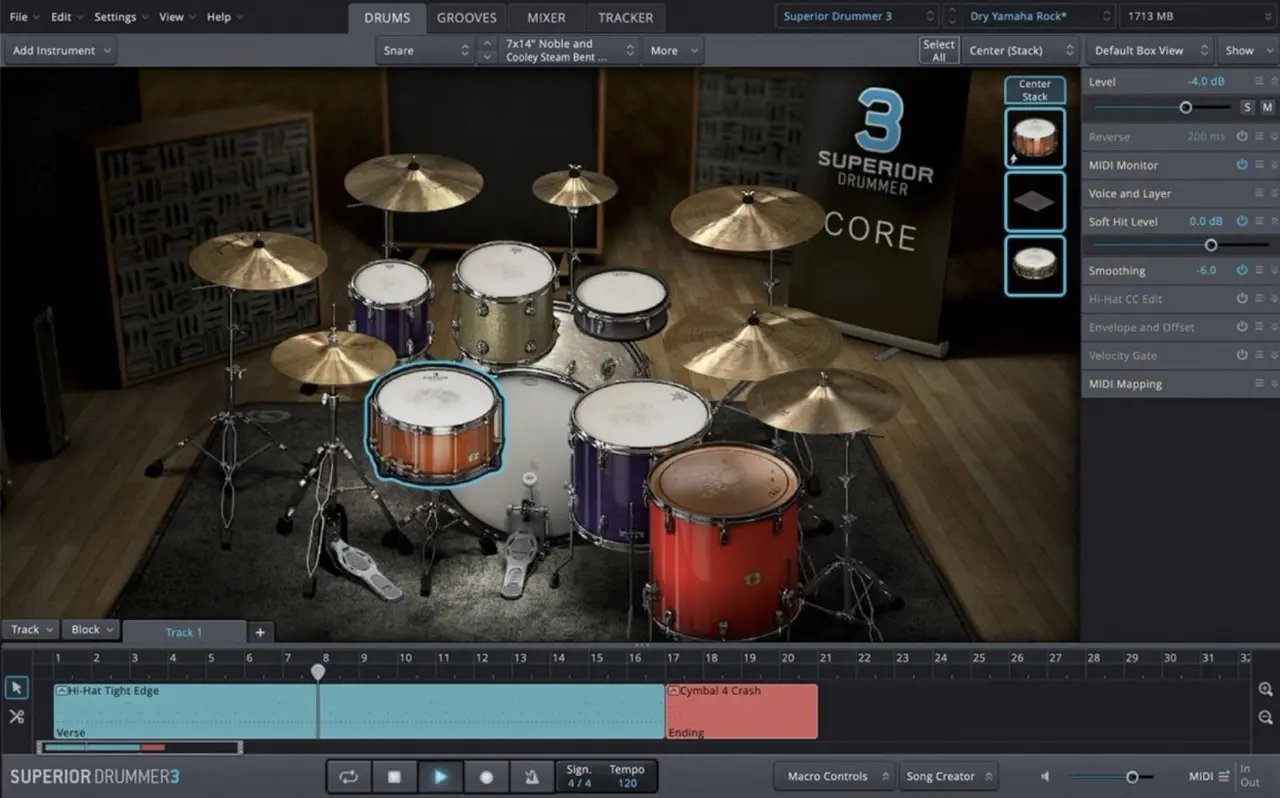
superior drummer 3 software user interface

Toontrack’s Superior Drummer 3 plugin is a top-of-the-line drum plugin, boasting an extensive 300GB+ sample library. With its exceptional sound quality and a wide range of features, this plugin has become an indispensable tool in my music production. The user-friendly interface of Toontrack plugins sets them apart, making them a go-to choice for producers. Get ready to witness the incredible capabilities of this phenomenal plugin as I demonstrate why it’s a game-changer in music production.

Whether you’re a seasoned drummer or have never touched a drumstick in your life, this plugin is designed to empower you in your home studio. With its massive built-in MIDI library and expansive sample pack, you’ll find endless inspiration at your fingertips.

In the video above, I’ll be giving you a firsthand look at the plugin. I’ll demonstrate its incredible sound, guide you through its remarkable features, and take a comprehensive tour that will leave you inspired to integrate its power into your own music production. So let’s dive right in!

First Impressions

When you open the plugin, you’ll see the modern and intuitive interface. It is fully resizable, allowing you to optimise your screen space. The plugin comes with a wide range of drum presets, midi grooves, and mixer presets, giving you countless options to choose from and customise.

The plugin can be used inside your favourite DAW, or even as a standalone program. Inside the interface there are 4 main tabs for you to work through.

#1: The Drums Tab

In this tab you can customise your drum kit. There are plenty of presets that you can choose from to find your sound, and then you can swap out any parts of the kit if you want something more specific.

Beyond the default options, you can fine tune each component further by tweaking elements such as the tuning, attack, release, and much more. Components can even be “doubled up” for a broader sound!

The preset kits include an array of drum kits, electronic kits, world kits, and other percussive sounds such as claps, tamborines, or shakers.

#2: The Grooves Tab

The Grooves tab is where the magic happens. This extensive MIDI library provides a wide variety of drum patterns in different genres and styles. You can filter the results to refine your search, preview the patterns quickly with just one click, and then drag and drop your choices onto the timeline to create your drum arrangement.

Once you’ve added MIDI patterns to the timeline, you can fine-tune them using the MIDI editing features. Double-clicking on a MIDI region opens the Grid Editor, where you can adjust the timing, velocity, and even randomise the performance for a more humanised feel. You can also draw in your own MIDI notes using the Pen Tool or make adjustments with the Nudge function.

The Tap2Find feature in the Grooves tab is particularly useful if you have a specific idea in your head already; you can tap it out, and Superior Drummer 3 will suggest similar MIDI patterns from its library.

#3: The Mixer Tab

The Mixer tab showcases Superior Drummer 3’s built-in mixer. Here, you can adjust the levels, pan settings, and apply effects to individual tracks.

In this tab, you can change microphones, add or remove mics, and even add an array of effects to each track such as EQ, Compression, Reverb, and more. It contains everything you would expect from a good mixer in your DAW. It’s a powerful tool to keep your drum mix tidy and within the plugin itself, but if you would prefer to send each track to your DAW instead, then you can do that too.

#4: The Tracker Tab

In the Tracker tab, you can effortlessly import your own drum tracks and convert them into MIDI data. If you’ve recorded your drum tracks with a microphone, this feature allows you to sync the audio with the plugin’s samples or enhance them further.

This could be helpful if you don’t have a professional studio space. You can record your tracks with a cheap microphone, and let superior drummer handle the rest! Or perhaps you’ve already recorded a decent drum track, but you want to change the sound and depth. The Tracker Tab is a powerful tool for these instances.

Is Toontrack’s Superior Drummer 3 For You?

Superior Drummer 3 is a powerful and versatile plugin that offers incredible sound quality, an expansive MIDI library, and an intuitive workflow. Whether you’re a professional producer or a home studio enthusiast, this plugin offers everything you need to take your productions to the next level.

I’ve been using this drum software since 2020, and it’s without a doubt something that I can recommend with confidence.

Play Minor Pentatonic Over Major Chords: 1 Simple Trick

playing the minor pentatonic scale on acoustic guitar

Most beginner guitar players quickly become confident at improvising with the minor pentatonic scale in a minor key, but feel hopeless improvising over a major key! If this sounds like you, then you’re in luck because I have one simple trick that will allow you to play all of your favourite minor pentatonic licks over a major key! 🤫

Here’s the trick: instead of starting the minor pentatonic scale from the root note of C major chord, start it from the major 3rd – the E note! 👀

How To Play Minor Pentatonic Over Major Chords

Let’s assume the chord C major. Go ahead an drone a C major chord for you to play over. Now from the third degree of the C major key, E, play an E minor pentatonic scale. You’ll notice that this sounds quite tasteful!

In relation to the underlying chord, these notes outline the 3rd, 5th, 6th, 7th, and 9th. These are all “colour” notes, and can be used to extend the sound of the underlying chord.

Improvising Over Multiple Chords

Let’s elaborate on this concept by playing a Cmaj7 followed by a Dbmaj7. Irrespective of key, you can treat the Dbmaj7 in exactly the same was at the Cmaj7:

  • Play Em Pentatonic over Cmaj7 (E is the maj3 of C)
  • Play Fm Pentatonic over Dbmaj7 (F is the maj3 of Db)

Now that you’re grasping the basics, let’s take it a step further with a more challenging progression: Cmaj7 – Ebmaj7 – Dm7 – Dbmaj7 (I – bIII – ii – bII)

In this example chord progression, you can use the following minor pentatonic scale shapes for each chord:

  • Cmaj7 – E minor pentatonic
  • Ebmaj7 – G minor pentatonic
  • Dm7 – D minor pentatonic
  • Dbmaj7 – F minor pentatonic

Notice that for each major chord, we began the minor pentatonic scale from the maj3 degree of that chord. For the minor chord, we can play the minor pentatonic scale from the root note of that chord.

This approach encourages you to think about the chord tones rather than relying solely on the parent scale.

Limit Your Movement

If you’re able to visualise the minor pentatonic scale across the whole neck, try to limit your movement as you improvise over the chords. Try to avoid jumping across the neck to play the same shape for every chord. It’s best to identify the corresponding minor pentatonic scales in one position of the neck, as bigger leaps across the fretboard can often sound jarring.

Join my Essential Theory For Guitarists Masterclass if you want to take a deeper dive into foundational music theory topics like intervals, how to construct scales and arpeggios, learn chord theory, and more!

Keep up the great practice, and stay curious! 🎉

The Ultimate Guide To Practice Triads On Guitar: 5 Easy Steps!

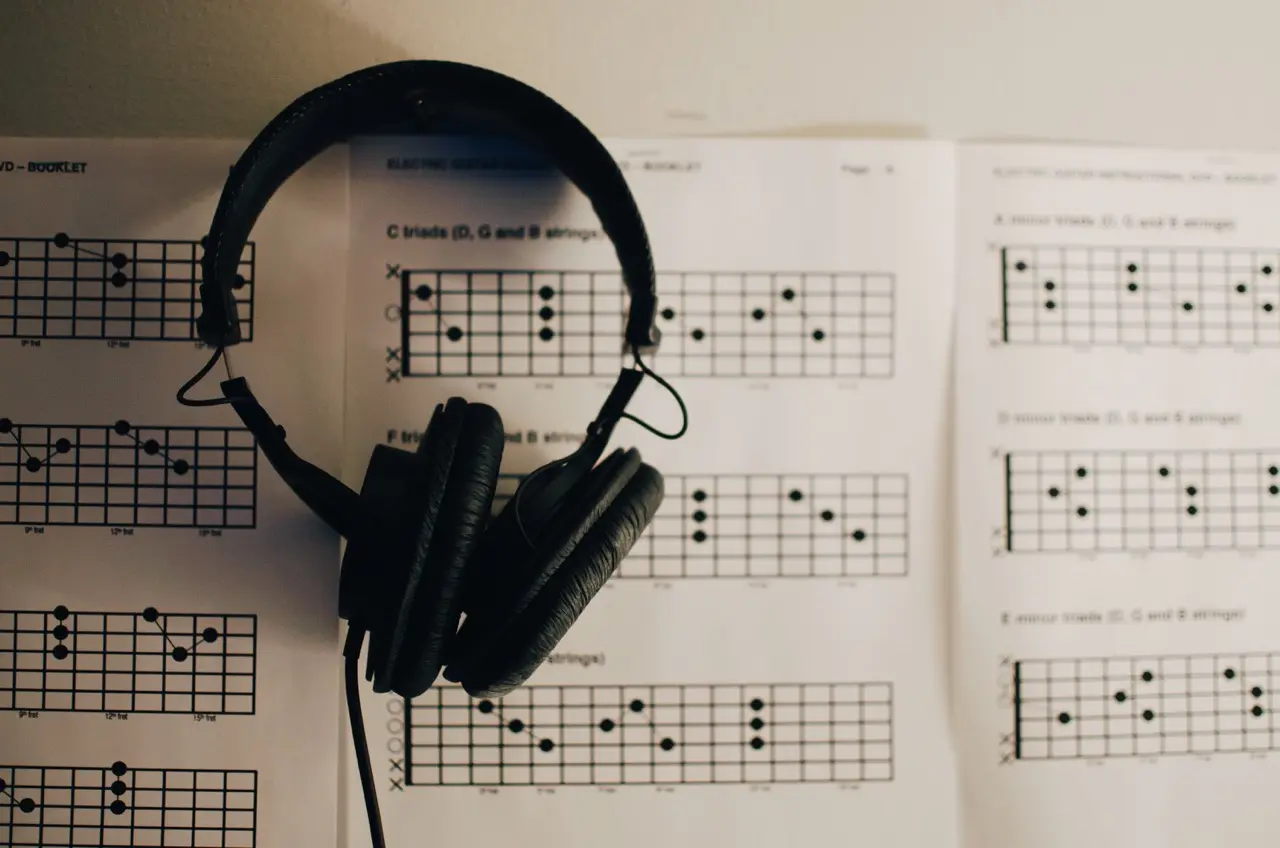
headphones resting on sheets of guitar diagrams all about triads

Guitar lessons often focus on teaching triads, but it’s equally as important to know how to practice triads on guitar. Memorising triad shapes is just the beginning, but in this lesson we’ll build on a simple practice idea that you can incorporate in your daily routine.

This lesson assumes you’re already at least moderately familiar with how to visualise triads on guitar. If this is not something you’re yet confident with, I recommend enrolling in my CAGED Fretboard Visualisation Masterclass for a complete insight into how to visualise the guitar.

Let’s begin working through the steps!

#1: Determine The Chords & Key

Let’s start by selecting two major triads within a specific key. For example, we’ll choose the key of B and the B major triad as our starting point. To create a musical progression, we can select the B major and E major triads – the I and IV chords.

#2: Playing with a Steady Tempo

Set a steady tempo that works for you and play a B major triad on every quarter beat. Maintain this pace for four bars.

TOP TIP: If you find that you’re better at visualising triads vertically on guitar, and not so much horizontally, try to loop one or two triads for a few beats whilst you allow yourself to think and work out a different position of the neck. Once you can visualise triads in your target position of the neck, then take the leap! Horizontal movement can be slow to begin with, but in time when your ability to visualise the guitar strengthens, you’ll become much faster.

Now after 4 bars of E major, move on to to the next chord (B major) for the next 4 bars and play B major triads on every quarter beat.

Rinse & repeat!

#3: Adding Chords & Increasing Difficulty

To add complexity, we can add chords to the progression. To allow yourself to focus on major triads, adding a V chord to the progression would be the smartest decision.

For now, don’t add any other triad types to your progression such as minor triads. We’ll come back to that later once you can be sure you master the major triads.

You may also decide to speed up the progression if you find it to be too easy or slow. Instead of playing 4 bars of each chord, you could play just two bars. If you’re feeling confident with your rhythm, then perhaps you can introduce some eighth notes instead, or off-beat rhythms.

Just don’t run before you can walk!

#4: Minor Triad Variation

Now that you’ve got a good grasp of how major triads look and feel across the neck, it’s time to regress back to step #1 again but now with minor triads. Begin with a i iv progression, Bm to Em.

The goal is to focus on one type of triad during a practice session to maintain clarity and progress.

#5: Putting It All Together

After you’ve become confident with both major and minor triads across the neck, it’s time to blend them together! If you’ve done sufficient preparation, this shouldn’t be too difficult to improvise your way through.

Major and minor triads are the most important triad types to familiarise yourself with. Down the road, you can begin to expand your chord vocabulary with diminished, suspended, and even augmented triads. I would advise that you stick with major and minor for a long while though, as these are the most practical and useful.

Embrace the learning process and enjoy the journey 💜

If you want to deep dive further and not only learn other ways on how to practice triads effectively, but also how to apply them in your music and improvisation, you absolutely don’t want to miss out on my All About Triads Masterclass here on Fretwise! 😉

Target Chord Tones: 2 Transformative Examples With The CAGED System

target chord tones

If you want your solos to sound less like scales, and more in alignment with the chords, then you need to learn how to target chord tones! The best tool to help visualise chord tones on guitar is The CAGED System. It’s without a doubt one of the most vital things to learn on your guitar journey.

In the video above, I share with you a preview from my CAGED Fretboard Visualisation Masterclass, where we will explore how to apply The CAGED System over chord changes. While many guitarists think about key centers and scales when playing over chord progressions, it’s crucial to recognise that not all notes are equal. Some notes are stronger and more stable than others, and this is a continuously changing factor chord progressions.

There are two examples that I want you to explore and consider in your music practice.

Example 1: Scales

Consider a I-IV-vi-V progression in E major. Regardless of the progression, most guitar players would opt to solo using notes from the E major scale or E major pentatonic scale. While this works fine, you may notice that some notes from the scale sound better over certain chords more than others.

You can test this out yourself by playing what you consider to be a good lick over every chord. You’ll notice that that same lick won’t sound equally as good over all of the chords. So, what’s the problem? Well, the function of the notes you play change on a per-chord basis. Over one chord, the lick will be more complimentary of the underlying chord. Over another chord, perhaps not so much. To fix this, we need to consider chord tones.

Example 2: Target Chord Tones

To play chord tones, it’s important that you’re able to visualise the notes of the underlying chord in addition to your chosen scale, as a separate and independent musical device. If you’re able to do that, then you will have the power to alternate between chord tones and tension tones on command.

The easiest way to visualise the chord tones that belong to each chord is to practice visualising the triad arpeggios that correspond to each chord. The CAGED System is the best tool for this, as demonstrated in my CAGED Fretboard Visualisation Masterclass.

A good way to practice this is to consider the “parent” scale, for example the major pentatonic scale, to be your safety net. On occasion, step out of that safety net to target tones from each of the underlying chord. Ideally it’s best to hit these chord tones notes on the first beat of each bar or chord. This demonstrates to the listener that you’re closely following the chord progression.

How To Practice Chord Tones

I recommend practicing these skills in one small position of the neck. Avoid jumping around the neck to find chord tones. Instead, try to identify the chord tones of each chord in one position of the neck. Once you’re able to do this confidently, you can move on to another position of the neck. By using The CAGED System, you’ll be able to identify 5 critical positions of the guitar neck.

Gain A Deeper Insight Into The CAGED System

If you would like to learn more about chord tones and The CAGED System, consider joining my most popular course on Fretwise: the CAGED Fretboard Visualisation Masterclass! It’s designed to help you master The CAGED System and gain a deeper understanding of music theory, fretboard visualisation, and more. For me, the knowledge shared in this class has revolutionised my perspective and understanding of the guitar!

Until next time – keep practicing, and stay curious 🏆

How to Solo Using Chord Tones: Learn to Navigate Chord Changes

How to solo over chord changes & target chord tones

The majority of guitar players, when asked to solo over a progression, will typically gravitate to play the minor pentatonic scale as their go-to selection of notes. This is a great choice, but after a while you might begin to notice that it sounds repetitive and much akin to a bag of licks.

In the video lesson, we will fix these problems by learning how to solo WITH chord progressions versus OVER them. I’ll show you which chord tones to aim for, and where to find them.

The trick is to complement the chords by targeting specific intervals as you navigate through the changes 🤫 You can do this in combination with the familiar pentatonic scale.

In the video, I use the chord progression from John Mayer’s “Slow Dancing In A Burning Room” which uses the chords:

  • C#m | A – E.

How To Find Chord Tones

Here’s the familiar pentatonic scale that you can use over the chord progression:

When soloing over the C#m chord, you should emphasise the root, minor 3rd, and 5th:

As you transition to the A chord, direct your attention to the minor 6th, root, and minor 3rd:

These intervals are relative to the key, but in practice you should start to think of them as an A major triad inside of the pentatonic position.

Finally for the E chord, direct your attention to the minor 3rd, 5th, and minor 7th:

Again, this is better thought of as an E major triad since that’s what the function of the notes are in relation to the underlying chords.

Visualise Chord Tones with the CAGED System

If you have any experience with the CAGED system, you might have noticed that the intervals highlighted in the images above outline popular CAGED shapes.

The CAGED system is immensely helpful for visualising and quickly locating chord tones across the neck. Learn how to leverage the CAGED shapes to easily find the desired chord tones for each chord in a progression. With great practice, you’ll eventually be able to used CAGED to locate all intervals in all positions of the neck!

If you’re not familiar with the CAGED system, I recommend you checkout my CAGED Fretboard Visualisation Masterclass.

Tension & Release

You don’t need to hit every chord tone, all the time, but even trying to highlight just one at the beginning of each chord change can make a significant impact on your soloing and musical expression!

The goal is to strike a balance between tension and release. The release is the chord tones, and the tension can be notes that belong to the key but not the chord. Be aware that constant release can sound predictable and uninteresting, and constant tension can sound boring and irrelevant.

Voice Leading Between Chords

When practicing this for the first time, I find that students most often begin each bar/chord by starting on the root notes. Try to avoid this! Voice lead through the progression instead. This means that as you end your melody on one chord, begin the next chord by choosing the closest available chord tone instead of leaping to the root note.

Summary

  • Consider the pentatonic scale as your safe space. For each chord you play over, it’s your job to emphasise the notes that belong to the chord in addition to the pentatonic scale.
  • Timing is key! You’ll notice that playing a chord tone at the beginning of a chord change sounds very powerful, but chord tones that are played in the middle of a bar aren’t so much.
  • Not all chord tones are equal! Root notes will always sound the strongest, followed by the 3rd, and lastly the 5th.
  • Focus on smooth voice leading between chords and emphasising the changes.

Keep practicing and have fun exploring the art of soloing over chord progressions. Remember to listen attentively to the chords as you play and adjust your phrasing and note choices accordingly. Developing this musical sensitivity will greatly enhance your soloing skills and help you connect deeply with the music.

10 Levels of The CAGED System: Fretboard Visualisation 101

The CAGED System

In this post I’ll be discussing and demonstrating 10 levels of The CAGED System. CAGED has revolutionised my approach to the guitar beyond what I could have possibly imagined.

When I first discovered CAGED, I thought that it was just a beginners tool. It wasn’t until one of my guitar heroes emphasised how important it is that I took it seriously, and I hope that I’m able to relay that emphasis to you today!

The order in which I present the 10 levels does not reflect how I recommend you to practice The CAGED System, but instead it is designed to demonstrate the increasing complexity that can be achieved by learning The CAGED System.

For a structured and systematic practice plan of how to practice CAGED, see my CAGED Fretboard Visualisation Masterclass. Now, let’s delve into those 10 levels!

Level 1 – The CAGED Shapes

This level focuses on building and navigating between the 5 core CAGED shapes, which are based on familiar open chord shapes.

The CAGED shapes are designed to be transposable shapes, which can be put together by replacing the nut (open strings) of each open chord with the index finger.

Below is an example of each CAGED shape transposed to a D major chord. The yellow notes represent the notes you should play. Grey notes are neighbouring notes that belong to the triad.

C Shape:

A Shape:

G Shape:

E Shape:

D Shape:

Level 2 – Minor CAGED

In this level, we minorise the major CAGED shapes by flattening all 3rds. It’s noticeably more difficult to play these shapes because the finger positions can be awkward, so whilst it’s important to be aware of the notes you should play, it’s best to omit the notes that are difficult to lay your fingers on.

Level 3 – Basic Chord Progressions

Now you know the CAGED shapes, you can start using the CAGED shapes in a musical setting!

Here’s a challenge for you to try. Take a familiar chord progression that you would likely play using barre chord shapes. Now try to transpose those chords to one single position of the neck.

In the video, I demonstrate a I-IV-vi-V progression in E major using various CAGED voicings. Each of the chords are played within a 5-6 fret span of the neck. This will not only help build your chord vocabulary, but will later become very helpful when improvising through arpeggios and scales 😉

This level emphasises practical application.

Level 4 – Triad Arpeggios:

Here, we move from chords to single-note melodies built from the triad tones. Remember those grey notes from the diagrams in Level 1? Both Grey and Yellow notes from the diagrams show you the notes of each CAGED position that belong to the corresponding triad arpeggio (D major).

Once you’re confident playing these notes from each position, both ascending and descending, you’ll begin adding more melodic depth to your playing.

Level 5 – Triad Chords

Now that you can identify the triad arpeggios that belong to each position, you can begin grouping the notes from neighbouring strings together to form 3-note (Triad) chords. This is what’s known as closed voiced triads.

This is where your chord vocabulary will begin to grow exponentially, which is very exciting!

Level 6 – Spread Voiced Triads

We explore more advanced triad voicings that are spread across non-consecutive strings. This can be achieved by taking the middle note from closed voiced triads, and playing it an octave higher or lower.

Music that comes to mind when I think about spread voiced triads is the opening of Cliffs Of Dover Live from Austin Texas (0:00 – 0:50 in this video):

This technique is great for chord-melody playing and adds a touch of sophistication to your arrangements.

Level 7 – Extended Arpeggios

Building on the foundation of triads, we can begin to add extensions like the 7th, 9th, 11th, and 13th degrees of chords. This level introduces new chord flavours, and enriches your harmonic vocabulary tenfold!

To achieve this level of playing, it’s important to work from the notes you’re most familiar with – the triad. For example, to find the 11th degree (4th), you should first identify where the 3rd is before moving a whole step up to the 11th/4th degree.

Once you can begin identifying where the extended tones are, you can start to play each of the notes sequentially to form more exciting and colourful arpeggios.

Level 8 – Building Scales

Scales are a small extension beyond the arpeggios. A simple place to start is the major scale, followed by the natural minor scale, but there’s much more to learn beyond this!

Once you become proficient at identifying intervals quickly on the neck, it will become very easy for you to build scales on-the-spot. This is an essential skill for improvisation, especially over more complex harmonic changes.

Level 9 – Extended Chords

Playing notes in sequential order is not nearly as difficult as playing groups of notes together! We’re limited to 4 fingers, and 6 strings, so it’s necessary to make quick decisions about the order of notes, and which notes to omit.

This level requires an understanding of chord construction. In the video provided, I demonstrate chord voicings and accompany them with an improvised melody, showcasing the harmonically rich sounds of extended chords.

Level 10 – Melodic Freedom:

In this final level, you have complete freedom to visualise the guitar neck and play both melody and harmony without a struggle!

CAGED will alleviate the trial and error of finding notes on the neck, and will instead allow you to communicate more effectively from your brain to your fingers 💪

Summary

I hope this demonstration gives you insight into the creative possibilities of the CAGED system. If you’re interested in a structured practice plan on how to master these skills and beyond, consider joining me here on Fretwise for a comprehensive learning experience! Keep practicing and have fun exploring the vast possibilities of the CAGED system!

Positive Grid Bias FX 2 Elite: Overview, Review, and Demo

Positive grid Bias FX 2 Elite

I’m excited to showcase Positive Grid’s most renowned plugin: Bias FX 2 Elite. I’ve been using BIAS FX for almost 10 years now, and it’s been used in all of my singles to date!

In the video above, I’ll take you on a tour of the interface and demonstrate how easy it is to create your own tones. Additionally, I’ll demo some of the factory presets that come with Bias FX 2 and share three of my personal presets for you to download and try out yourself on their Tone Cloud.

Bias FX 2 First Impressions

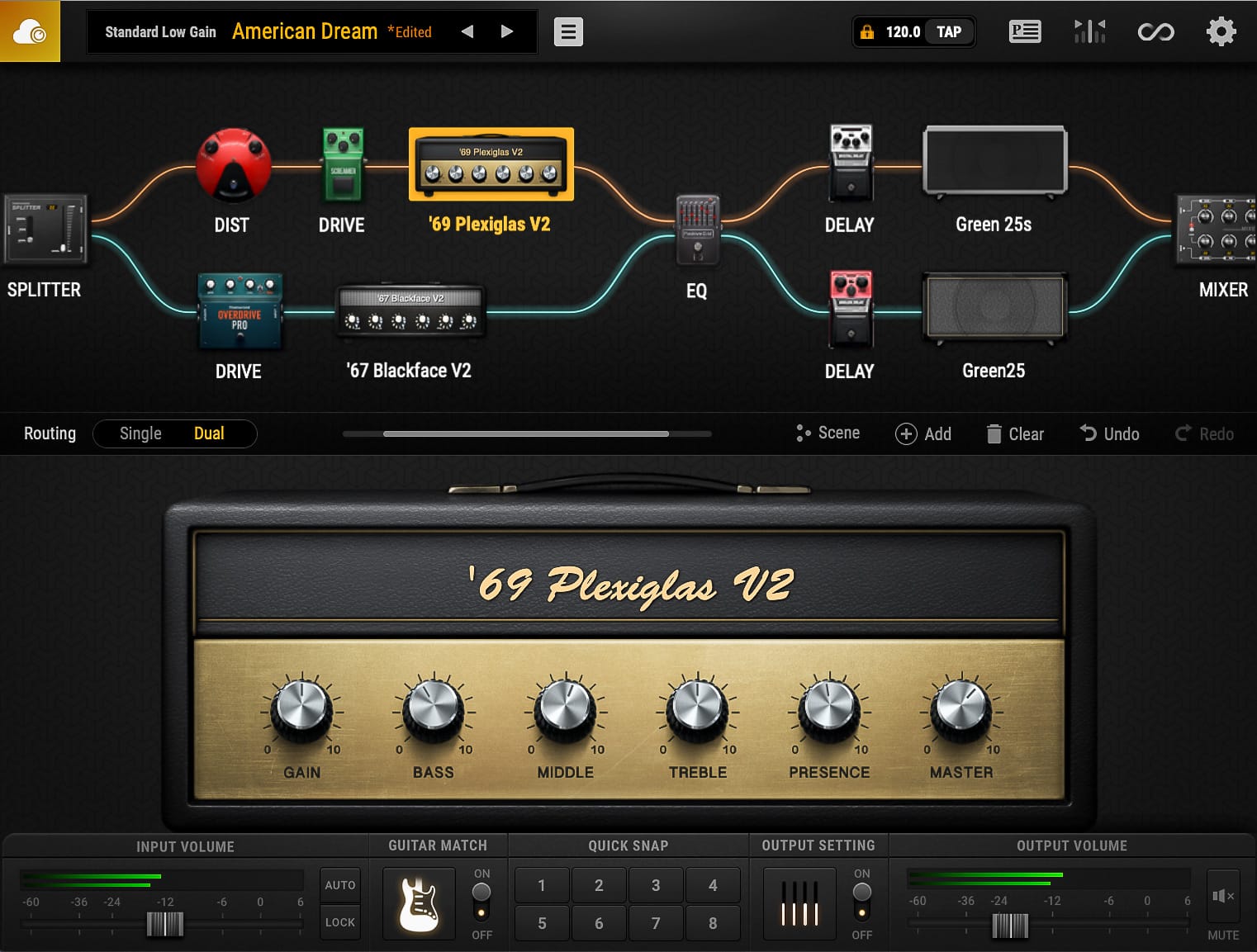
When you open Bias FX 2, you’ll immediately feel welcome with its completely modernised interface. It’s definitely one of the best looking plugins I’ve seen. The interface is mostly operated by dragging & dropping items into the effects chain. It’s easy to filter through countless built in presets covering tones covering everything from Clean to Metal, and even Acoustic and Bass Guitar Effects.

Create Your Own Tones

Bias FX 2 boasts a plethora of gear based on real-world products. Over 100 Amps and loudspeaker Cabinet models, and nearly 150 Effects Pedals & Rack-mount Units. I’m usually the kind of guy that prefers a more concise amount of high quality gear, but all of this gear sounds too good to pass on!

You can fine-tune the settings for each effect piece of gear, and even set the virtual mic placement. Simply drag and drop effects into the chain, change their order, and tweak the sound to your liking.

Features

Aside from the gear, the plugin also has a built in tuner, a looper with recording and exporting features, and a unique “guitar match” feature that allows you to even replicate the sound of other popular guitars!

There’s also a “Tone Cloud” where you can share your own presets, and discover an extensive collection of other user-created presets.

Where to Begin?

You can download a trial of the software for free, so there’s really nothing to lose. I recommend using the factory presets as a starting point and making further adjustments from there. There are countless presets to choose from, and you can even explore additional options on the Tone Cloud.

Where to Find My Patches!

I’ve shared three of my own patches on the Tone Cloud. You can search for “Darryl Syms” to find them. These patches include “Australian Dream”, “Dynamic Bite”, and “High Gain”. Each patch has its unique characteristics and serves as an excellent foundation for your own tone exploration.

I hope you enjoy experimenting with the tones and presets available in Bias FX 2.

Remove Unwanted String Noise From Your Bends And Vibrato

remove unwanted string noise

It’s not uncommon for guitar players to struggle with unwanted string noise when performing phrasing techniques such as bends and vibrato.

In the video lesson provided, I’ll demonstrate effective techniques to help you minimise unwanted string noise in your playing. The key technique you’ll learn is left hand muting, which proves to be one of the best ways to address this issue. Below I have summarised the tips from the video for your reference so you can achieve cleaner, more professional phrasing!

Left Hand Technique

There are multiple methods in which you can employ left hand string muting. Here are just a few tips for you to consider in general practice:

  1. Always touch the string above! Most often with your first finger, but also sometimes with your third. Make sure you touch the string above with the flesh of your finger, not the nail.
  2. If you’re playing chords or arpeggios, you should ensure that the fingers on your left hand are arched to allow room for the strings to ring out. You can achieve this better by moving the thumb down on the back of the neck. If you’re playing a melody however, you’ll want to keep your fingers relatively flat. For this, you’ll want to bring the thumb high and almost over the top.
  3. Use your third finger as the leading finger for bending, while the second and first fingers provide support. Ensure that the first finger is slightly higher than the other two, lightly touching the string above to eliminate noise. By maintaining this finger formation, you can achieve cleaner bends with less background noise.
  4. When performing vibrato with the third finger, make sure to keep your first finger stable and flat so that it is muting the neighbouring strings. The first finger does not need to press down on a fret, but instead it should rest gently on the strings.

Right Hand Technique

Now let’s look at the right hand. It’s good practice to use the palm of your hand to mute the strings above the note you are playing. So, for example, if you are playing the G string, try to rest your palm on the E and A strings. It’s better to use the left hand to mute the D string.

Summary

I hope these tips and exercises help you improve your string bending technique and eliminate unwanted string noise. Remember to practice regularly and pay attention to your hand position and finger formation! By incorporating these techniques into your playing, you’ll achieve cleaner and more controlled bends and vibrato.

Guitar Pro: An Essential Tool for Every Guitarist

Guitar Pro

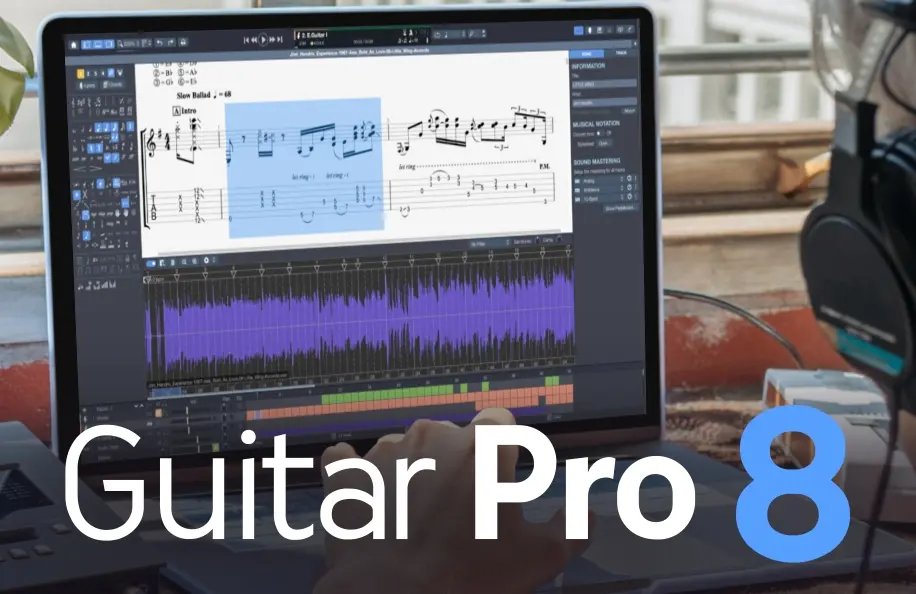
Guitar Pro has been a total game-changer for my guitar practice and music creation workflow. This incredible software packs in a ton of useful features that make it an invaluable tool for guitarists of all levels.

In the video above I give you a detailed overview of the software. The video outlines the features included in Guitar Pro 7.5 since that was the latest version at the time. Below I have recounted the key takeaways. Let’s dive into the awesomeness of Guitar Pro:

1. Flawless Transcription

Guitar Pro allows you to easily transcribe songs and create pro-quality sheet music. No more struggling to write out tabs and notation by hand. Not only do you have the ability to create your own digital tabs, but you can find thousands of free tab downloads of your favourite songs online from places like Ultimate Guitar to get you started.

Not only can you transcribe Guitar in this software, but also Drums, Bass, Piano, Stringed Instruments, and much more!

2. Total Customisation:

You can customise your music with various techniques like slides, bends, vibrato, palm-muted notes, and more. Guitar Pro gives you fine-tuned control over every aspect of your music. You can craft your compositions exactly how you want them to sound.

3. Tab and Standard Notation in One

Guitar Pro displays both tablature and standard notation, making it a great tool for learning how to read music in both formats.

4. Immersive Play Along Experience

Not only can you transcribe and read music in Guitar Pro, but you can also play along with it seamlessly at any tempo. This makes learning and practicing songs incredibly efficient and enjoyable.

5. Built-in Sound Library: Realistic Sound Engine

Guitar Pro has a realistic sound engine that makes MIDI playback sound as real as possible. It adds depth and authenticity to your tabs beyond just numbers and lines!

6. Digital and Organised

With Guitar Pro, everything is consistent and editable. No more handwritten notes with mistakes or inconsistencies; this program ensures accuracy! In the current digital age, Guitar Pro is the best way to future-proof your work.

7. Practice Tools to Maximise Progress:

With practice tools like section looping, playback speed adjustment, and playing along with a metronome, Guitar Pro helps you refine your skills effectively.

The Total Package

Guitar Pro is an invaluable tool for guitarists and musicians of all levels. It’s extremely user-friendly, versatile, and packed with valuable features that enhance your practice, composition, and performance. Whether you’re transcribing, learning songs, or creating your music, Guitar Pro is an essential tool to have in your repertoire!

Not only do I use Guitar Pro as a practice tool but also as a teaching resource. Every Masterclass on my website offers both PDF and Guitar Pro compatible file downloads, making it an excellent tool to have for those learning with me on Fretwise.

Give Guitar Pro a shot today and save 20% using my discount code DARRYL20 at the checkout – you won’t regret it!